
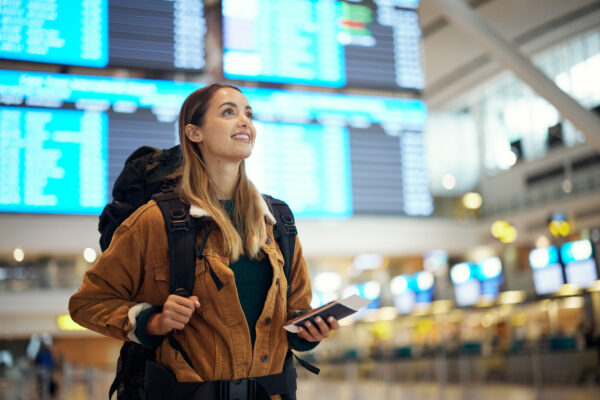
The golden rule of traveling with technology is, if you don’t need it, don’t take it. At the same time, traveling during the holidays and winter break brings joys you want to capture and share digitally. So, how do you balance convenience and security while away from home?
While 90% of folks traveling internationally engage in risky cybersecurity behaviors, many of those risks can be mitigated with some preparation and good practices.
The Basics Always Apply
Taking basic steps to Secure Your Devices is important whether at home or on the road. When traveling, be sure to:
- Back up your device before you travel. Use a cloud backup service or an external hard drive you won’t be taking. Back ups are the best way to recover if your device is lost, stolen, or damaged during travel.
- Turn on “Find My Device” and remote‑wipe capabilities to help you locate a lost device, or delete your data in case of theft.
Connecting on the Road
You probably know you should use your cell phone’s data instead of public Wi-Fi, and use a VPN if you must use WiFi while traveling. But you should also remember to:
- Turn off the auto-connect feature for WiFi. Automatic connections to insecure wireless can allow hackers to access your device and your data.
- Be wary of free charging stations that can be used to install malware on your devices. Take your own cord and charging block that can be used in an electrical outlet.
- Turn off bluetooth when you don’t need it, and be careful not to let it connect you to unknown devices. Bluetooth can be convenient for you, and unfortunately for hackers, too. Like WiFi, bluetooth connections can be a source of malware.
If you aren’t sure you can trust your connection, avoid sensitive online activity like banking or connecting to important work resources.
Travel and U-M Data
The university strongly recommends that you not take U-M data or devices while traveling. If you need to do U-M business while on the road, remember:
- Ask your IT department for a loaner device. Loaner devices provide basic computing capabilities, such as the Microsoft Office suite, web browsers, and the U-M VPN while making it easy to limit the personal or U-M data you will take.
- If traveling internationally for work, you should add your travel to the U-M Travel Registry. It is also recommended for domestic work travel.
- Global Michigan provides helpful additional information at Travel Resources.
Comply with U.S. and Foreign Laws
U.S. and foreign laws may affect what tech you can take across borders, and who has the right to access it. Some examples include:
- You may be asked to unlock and allow searches of your devices when entering most countries. U.S. Customs and Border Protection (CBP) may demand access to your devices when leaving, entering, or reentering the U.S. See guidance in Be Prepared for Border Security on the Safe Computing website.
- Some technologies may not be taken to other countries. See Export Control Compliance for University of Michigan Researchers, and consult the Export Control Office [email protected] if you conduct export controlled research or if you may fall under an export control requirement.
International Travel with Technology gives details about laws and policies you should be aware of, and what UM-related IT services you can and can’t access from outside the U.S.
Check Your Privacy Settings
While there are lots of cyberthreats to your data and devices while traveling, there is also the old-fashioned threat of a break-in or theft at your home while you’re gone. One of the best ways to protect yourself is to be cautious about what you share online. Things to be aware of include:
- Check settings on apps that share your location, and limit who can see where you are.
- Consider posting your photos and videos after you get home.
The more open your privacy settings or publicly viewable your social media posts, the more you should be careful about what you share when traveling.
Beware of Travel-Specific Scams
Like most other parts of life, there are bad actors waiting to try and scam you when you travel. Be wary of:
- Travel visa scams. These come in two general varieties and involve either stealing your information using phishing or fraudulent web sites, or they promise to expedite acquiring a visa for a fee.
- Booking scams. While legit booking sites and agents can help save time and money, beware of scams that seek to steal your personal or payment card information. Before responding to requests to “verify your information,” contact the agent or customer service of the booking agency you are using.
See our full list of travel advice at Safe Computing While Traveling.
Safe Computing wishes you bon voyage and happy holidays!


