
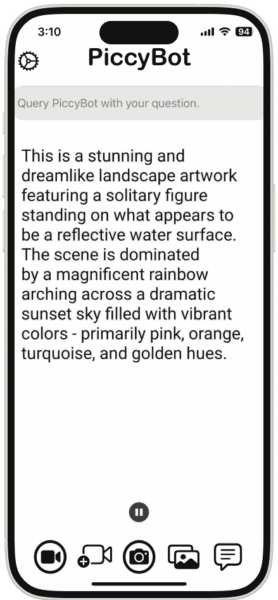
This month, I’m sharing a powerful AI app for iOS and Android that provides spoken descriptions of photos and videos, helping blind and low-vision users gain greater independence: PiccyBot. Capture media directly with the camera, select from your gallery, or share from other apps, and receive instant, natural-sounding voice analysis, including support for follow-up questions via text or voice and zooming for details. The free version offers core functionality, while premium upgrades provide ad-free access, additional AI models, audio exports, and multilingual support, with strong praise from accessibility communities for its effective video descriptions.
What accessibility-related apps do you use? Do they also use AI? Please share in the comments below!
Have a cool app, tool, or tech tip you’d like to share? Contact Chase Masters. Please note that Tech Tips are personal recommendations and might not be officially endorsed or supported by U-M.


I’m curious have you seen examples of PiccyBot being integrated into classroom settings or library services to support students in real time?